Challenge
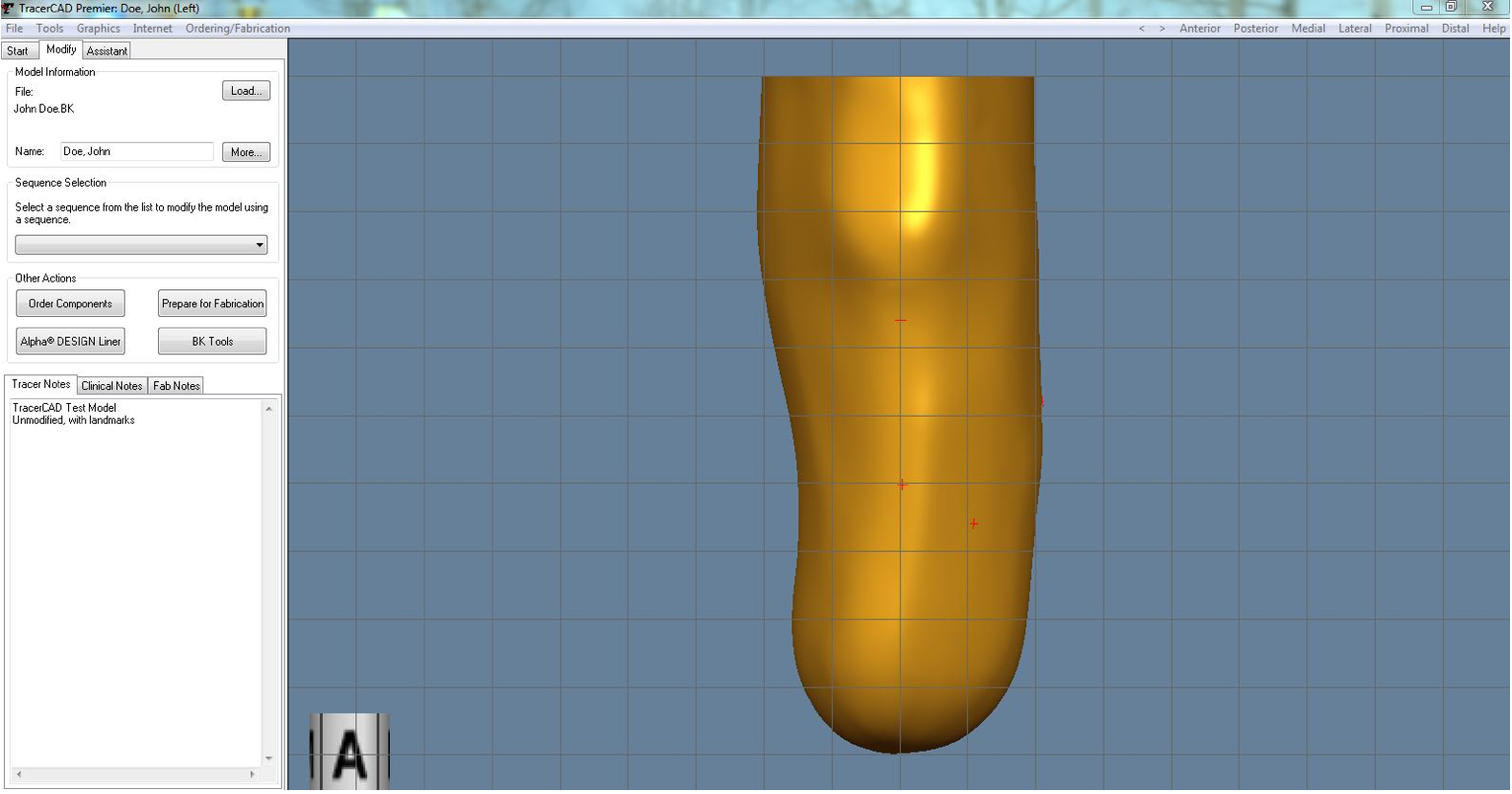
WillowWood delivers prosthetic solutions to clinicians around the world. The sales of its prosthetic design software had reached a plateau because of a complex user interface.
Approach
I worked with the WillowWood team and end users (clinicians) to ensure a better fit with clinician needs, workflows and attitudes. My activities for this project included:
- Research: Field visits to clinicians' offices in the US and Europe, to interview and observe them as they interact with their patients. I used the insights gained to clarify current practices, needs and issues ("I don't want to struggle in front of my patients." "Plaster is forgiving. Omega is not."), and to formulate design directions.
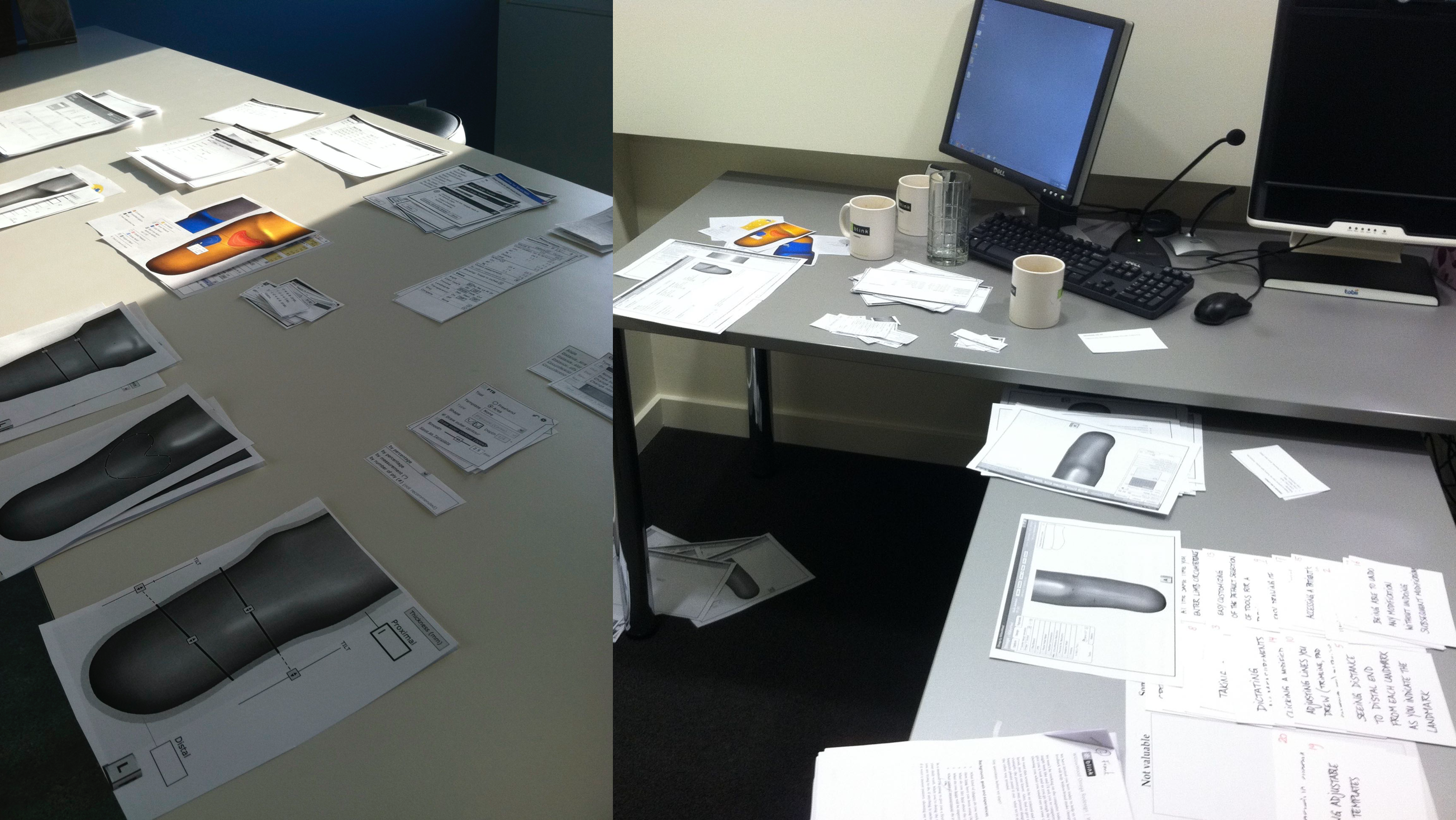
- UX Design: I designed the full application, including UX framework, flows, screens and tools. Through iterations that focused first on getting the concept right before going into screen- and component-level detail, I worked with the WillowWood team get ensure a usable, desirable, viable and feasible solution.
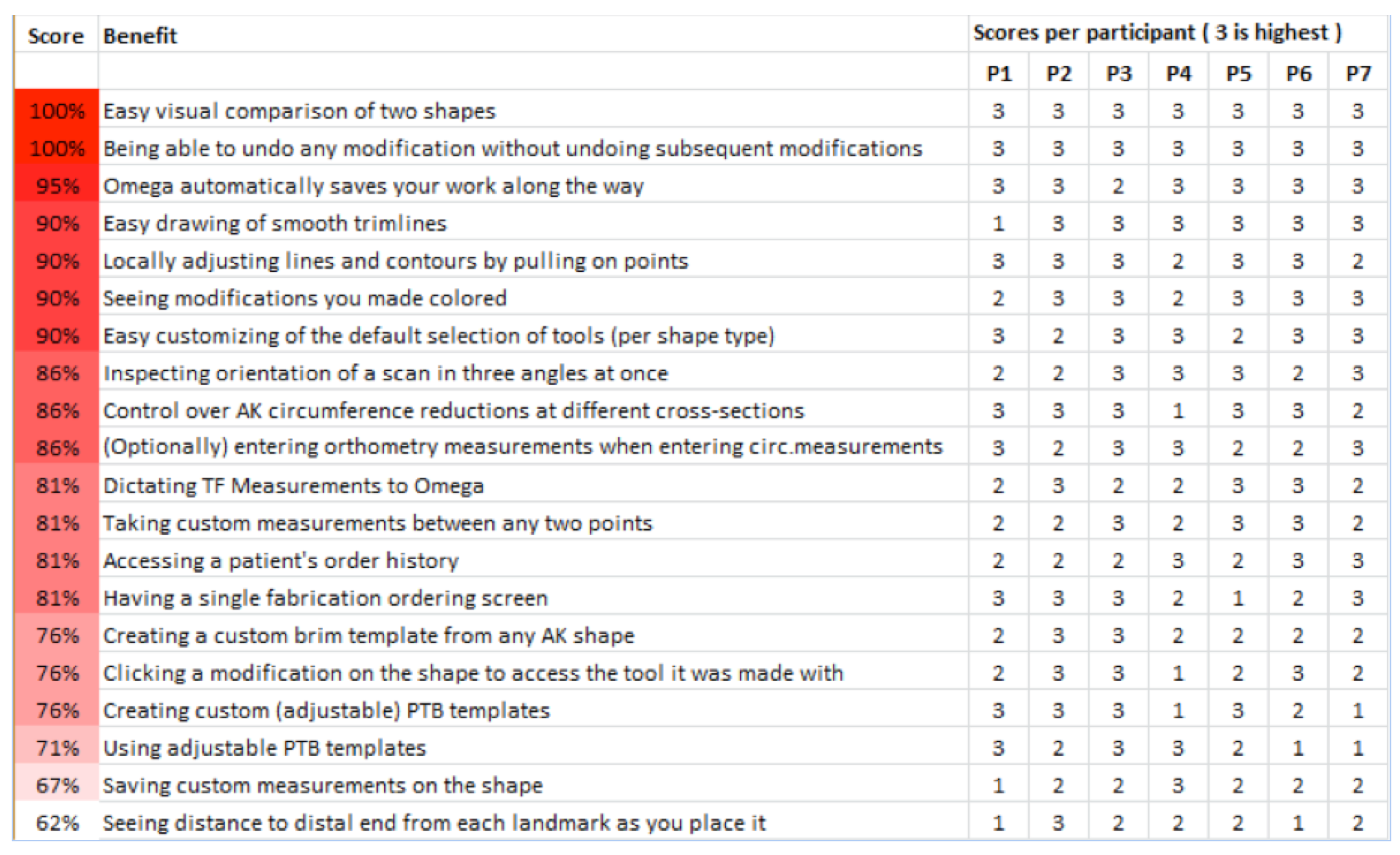
- Evaluation & Refinement: I created a prototype and led user tests to gauge user acceptance and identify opportunities for improvement. I used these insights to improve the design and provide direction on desirable-but-missing features.
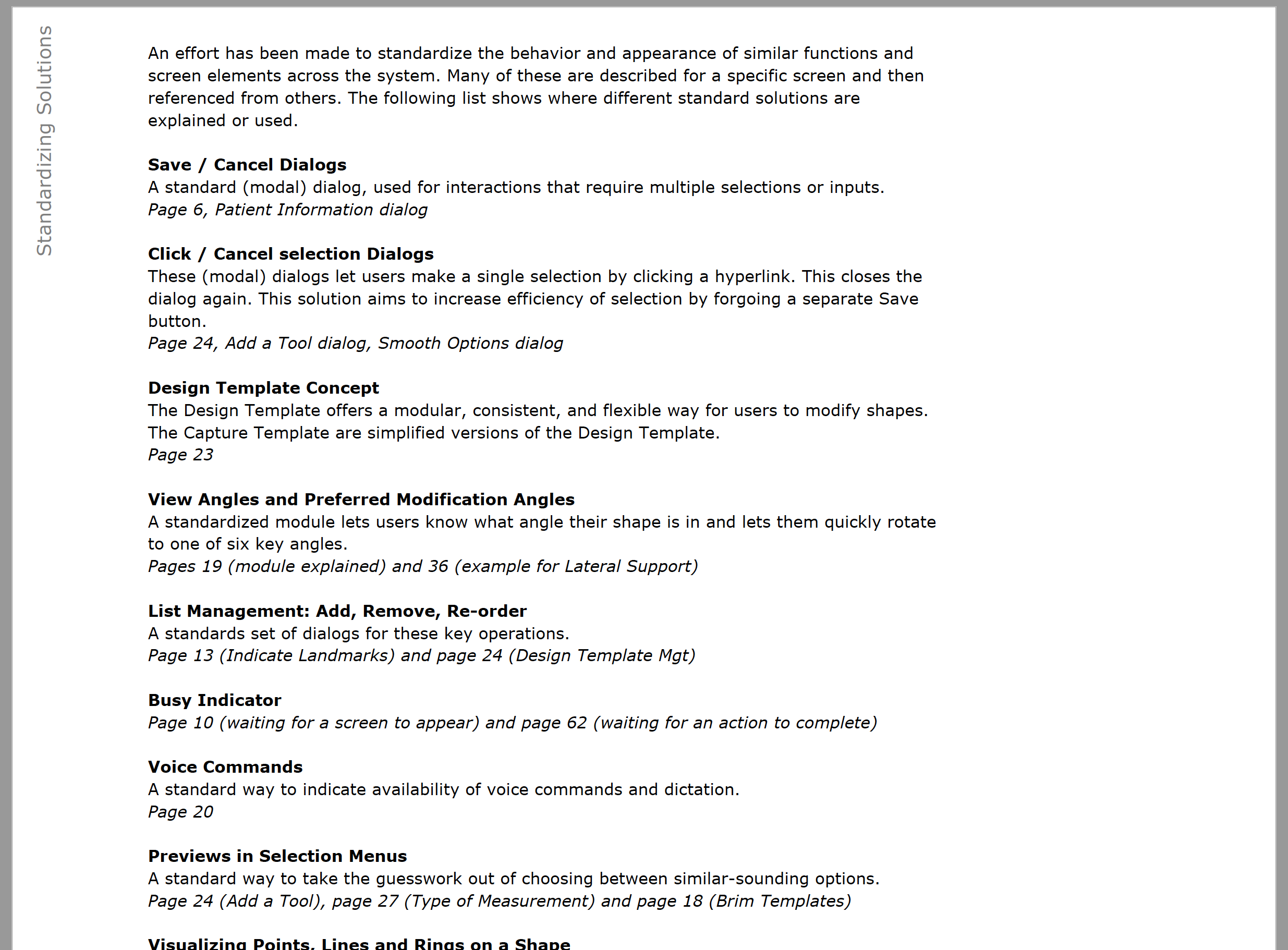
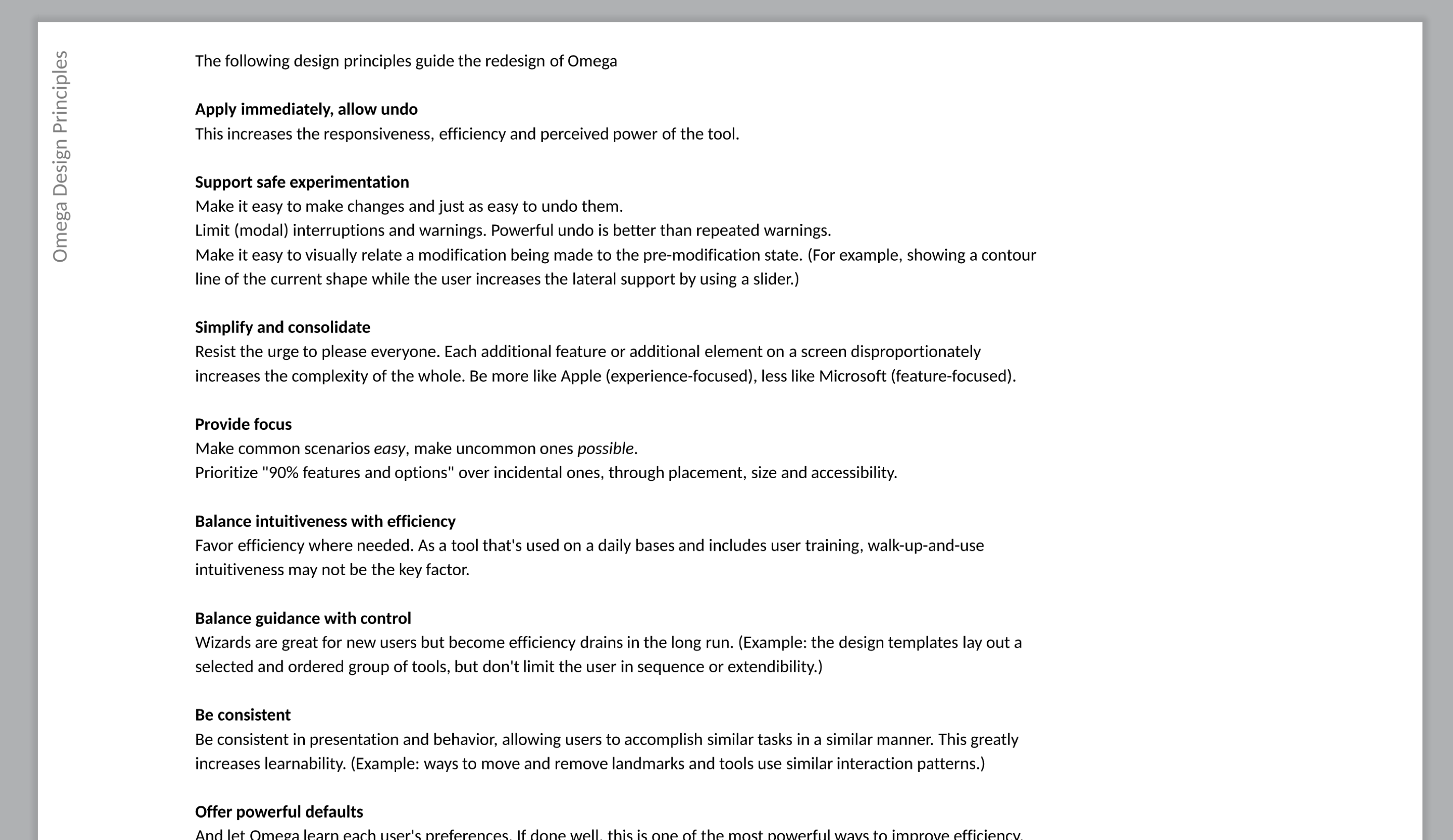
- Specs: I created a detailed set of vetted and development-ready specs to button down the structure and behaviors, including everything outside the happy path. To facilitate future expansion, I also created a guide with reusable patterns and product-specific design principles to help the team extend the software in the future.
- Visual design: I worked with a visual designer to ensure an appealing and usable style.
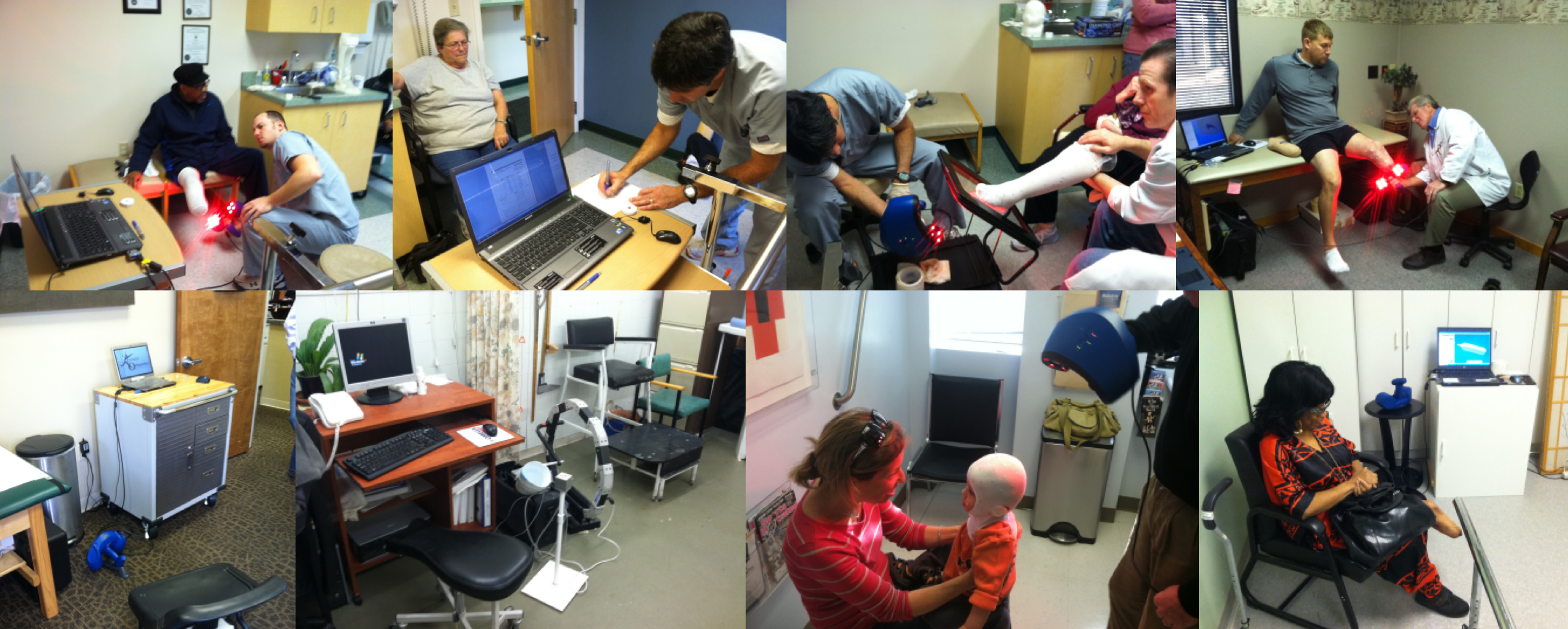
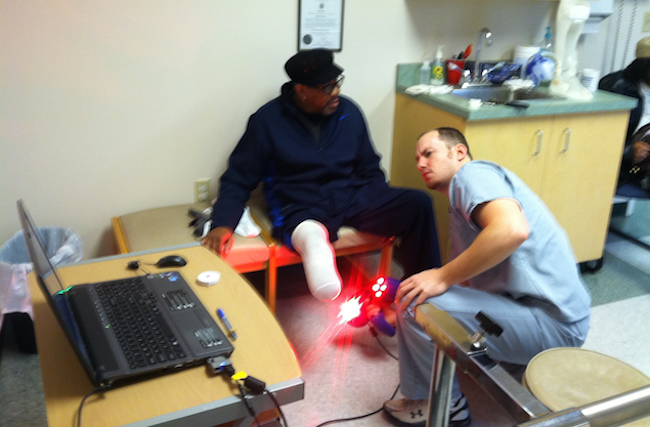
A clinician scans a patient's stump while checking the capture on-screen. The scan becomes the basis for designing the prosthesis.
Design Challenges & Solutions
This was a great project with significant user and client involvement, as well as a new set of design challenges for me, including:
- Designing a design tool
- 3D inspection & manipulation
- Voice interaction
- Hardware/software intersection
Adoption
Challenge: Clinician concerns were slowing adoption.
- Clinicians don't want to struggle with software in front of their patients.
- Clinicians are attached to the tactile and forgiving experience of directly manipulating physical plaster molds.
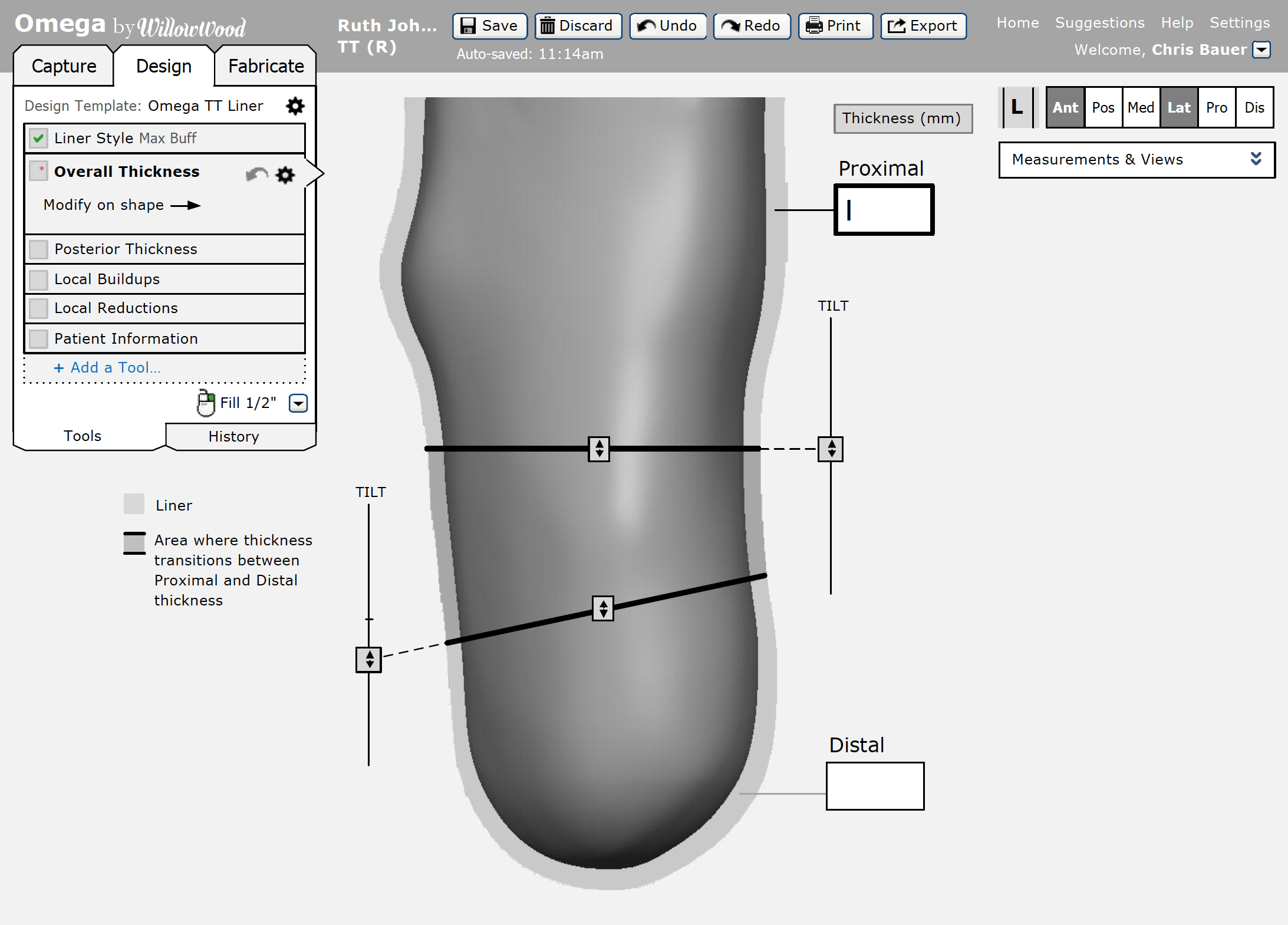
Solution: The redesign increases clinician confidence by providing clearly guided (yet customizable) workflows (top left), a sense of immediacy from direct manipulation (center) and safety from powerful undo options.
Shape Capture
Challenge: Clinicians struggled to accurately and completely capture the shape of the patient's stump leading to much trial-and-error.
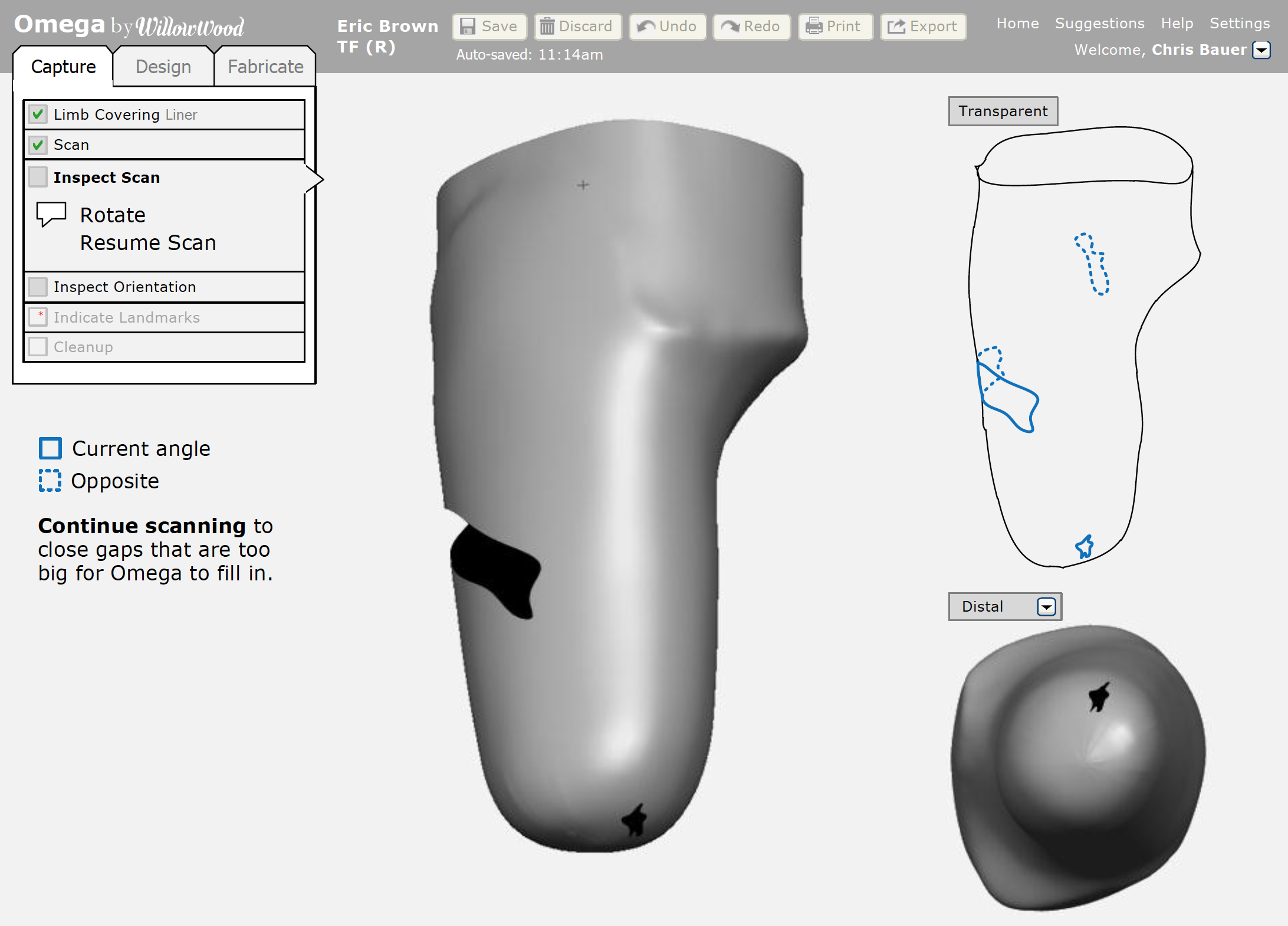
Solution: Clinicians can easily spot gaps through simultaneous views from different angles, "transparent" views and a 3D auto-rotate option. They can keep their hands on the scanner and patient while interacting with the software through voice commands ("Rotate. Resume Scan."). Available voice commands are made explicit on-screen, shown larger for viewing from a distance, and use a constrained vocabulary to improve speech recognition.
Flow and Control
Challenge: Fragmentation and lack of contextual awareness meant clinicians had to piece together their workflow.
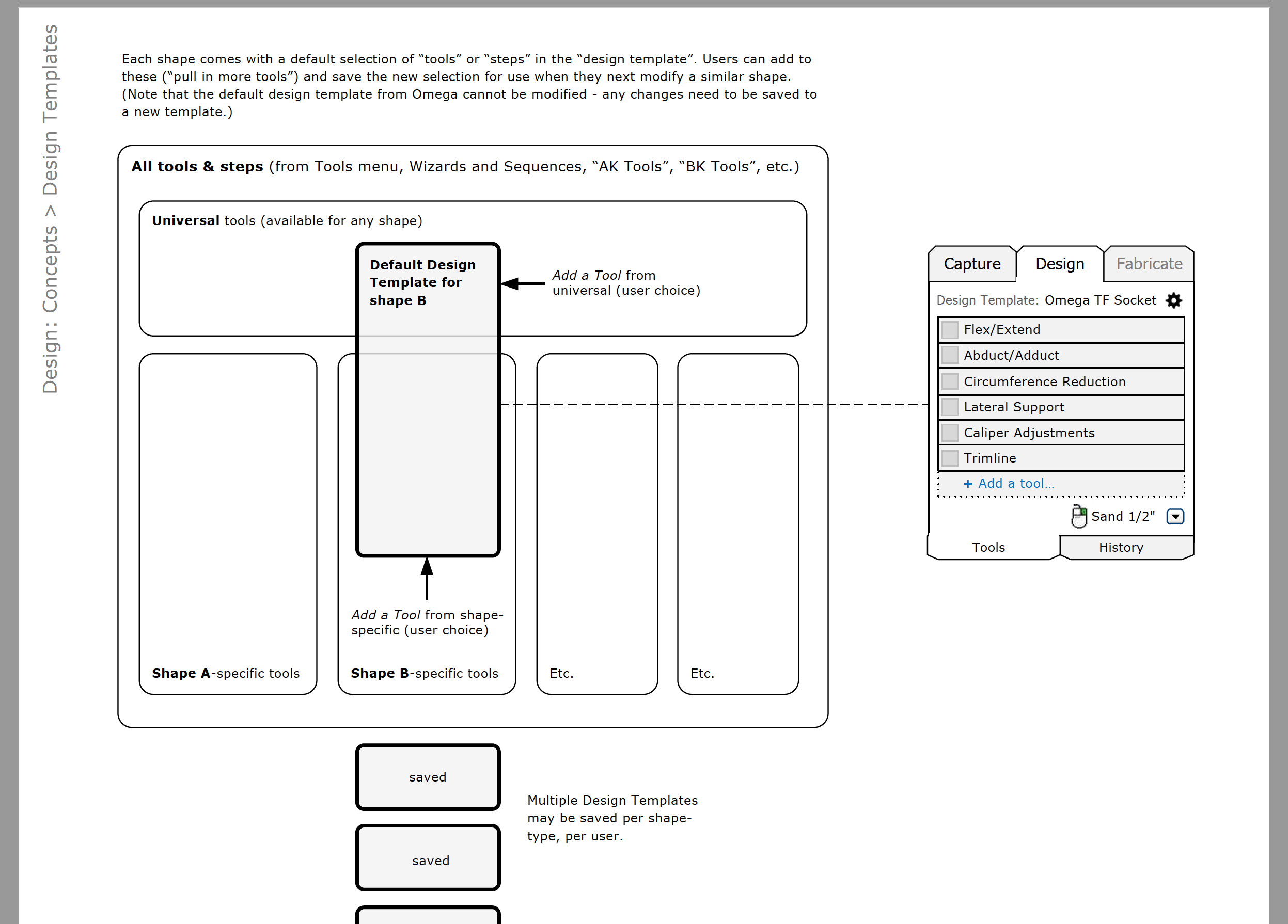
Solution: A toolbox/wizard hybrid clearly and efficiently guides clinicians through capture, design and fabrication, shows progress, and provides timely access to a variety of context-relevant tools. Clinicians can also customize the workflow to align with the specific needs and preferences of their practice.
Patient Focus
Challenge: The software's file-centric structure did not match clinicians' patient-centric practices, causing inefficiency when trying to find the latest design for a patient.
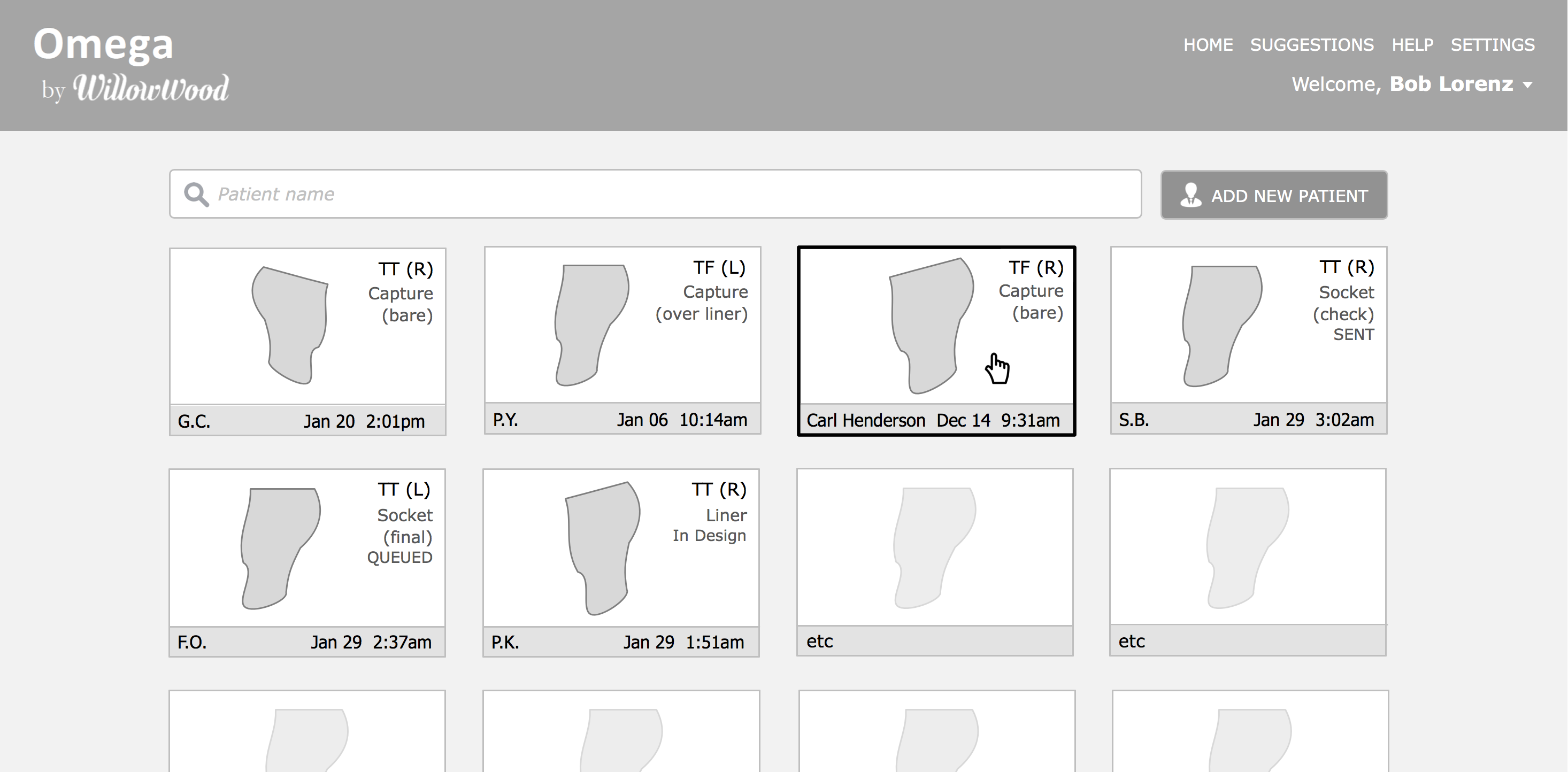
Solution: The opening screen lets clinicians quickly find a scan or design. Patient initials, age and gender help clinician identify the right shape while respecting HIPAA confidentiality laws when a patient is in the office and can see the screen.
Tools
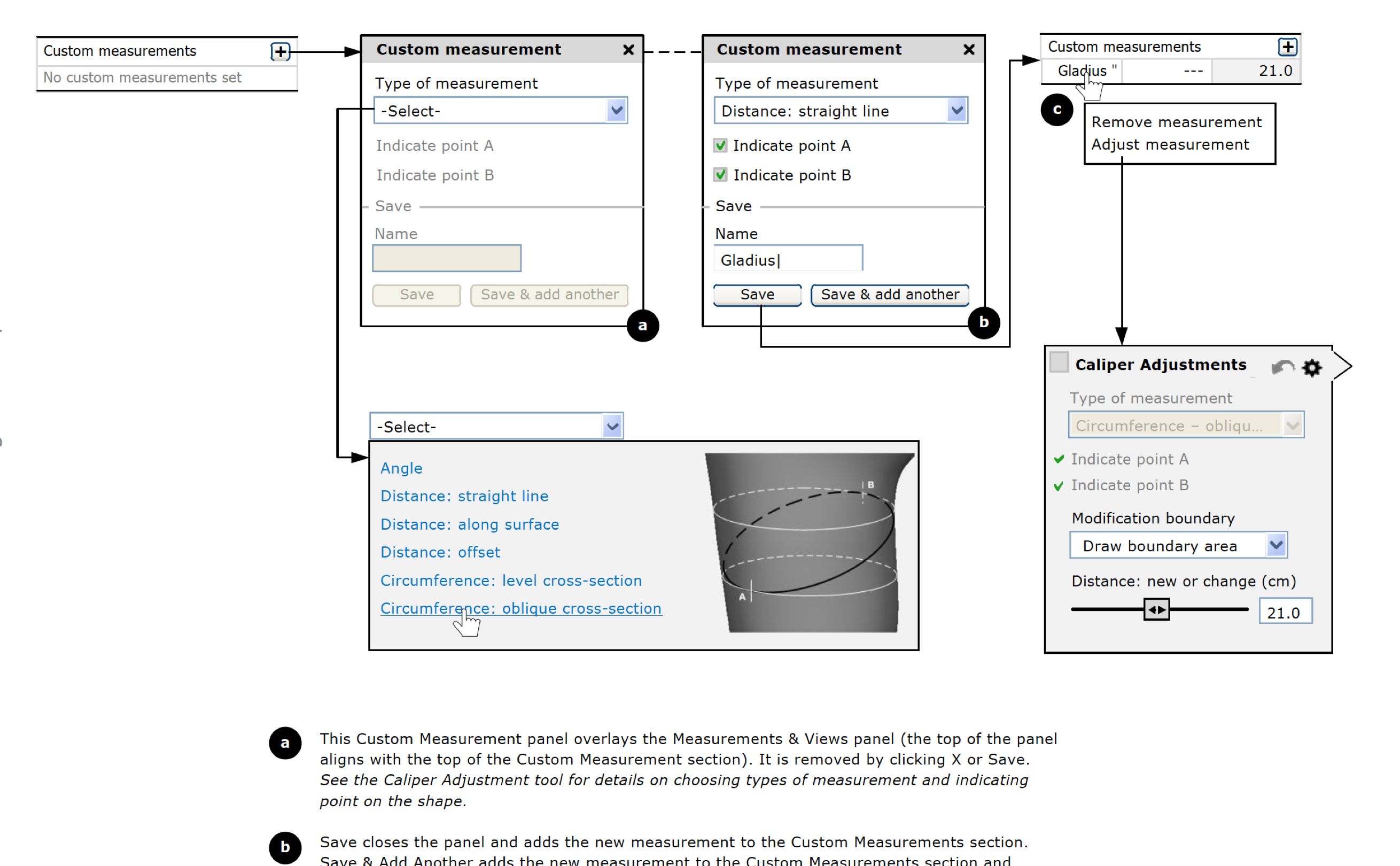
Challenge: Clinicians had trouble choosing the right modification tool, because of technical jargon, lack of examples and the potential impact of choosing the wrong tool.
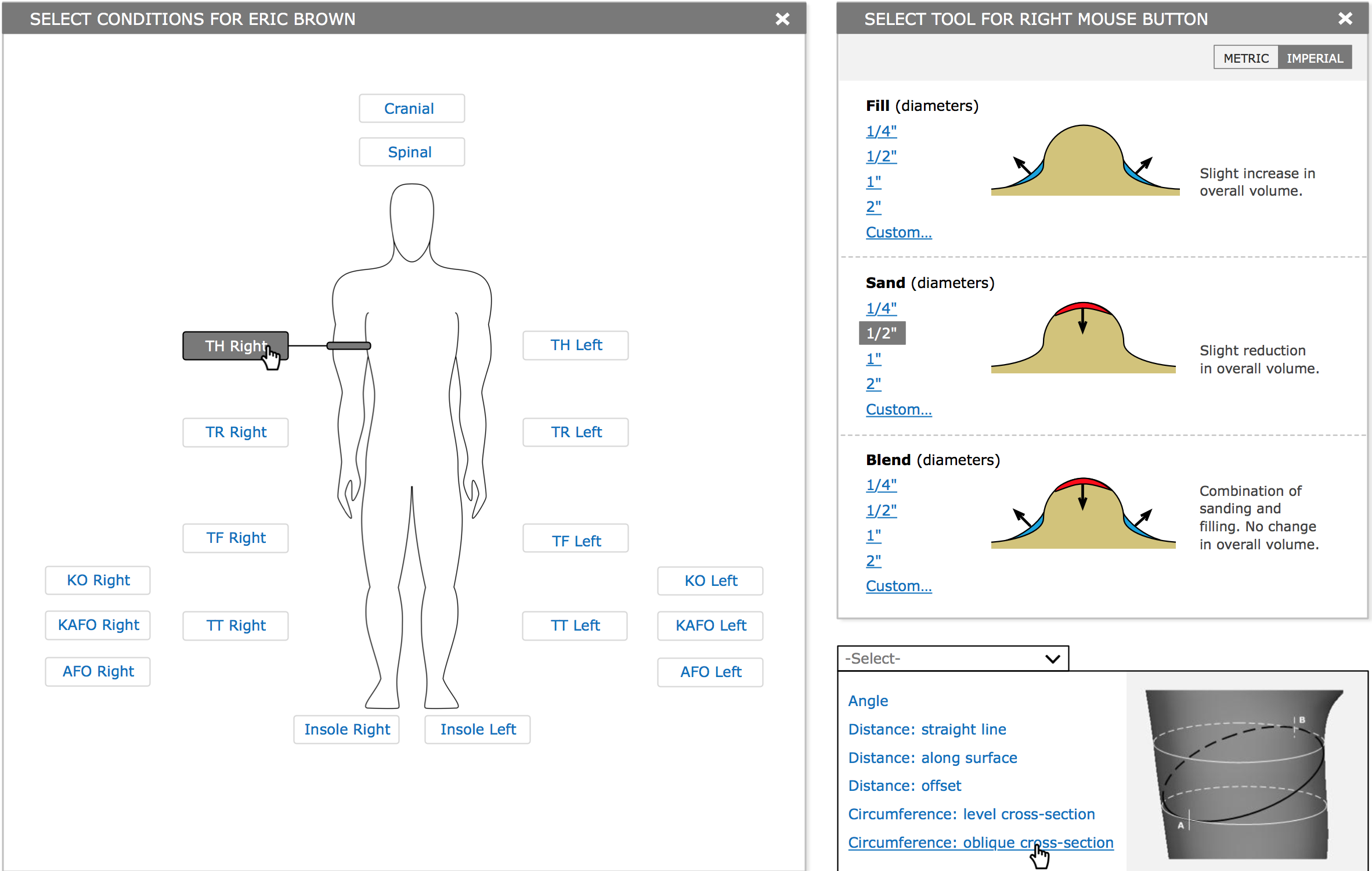
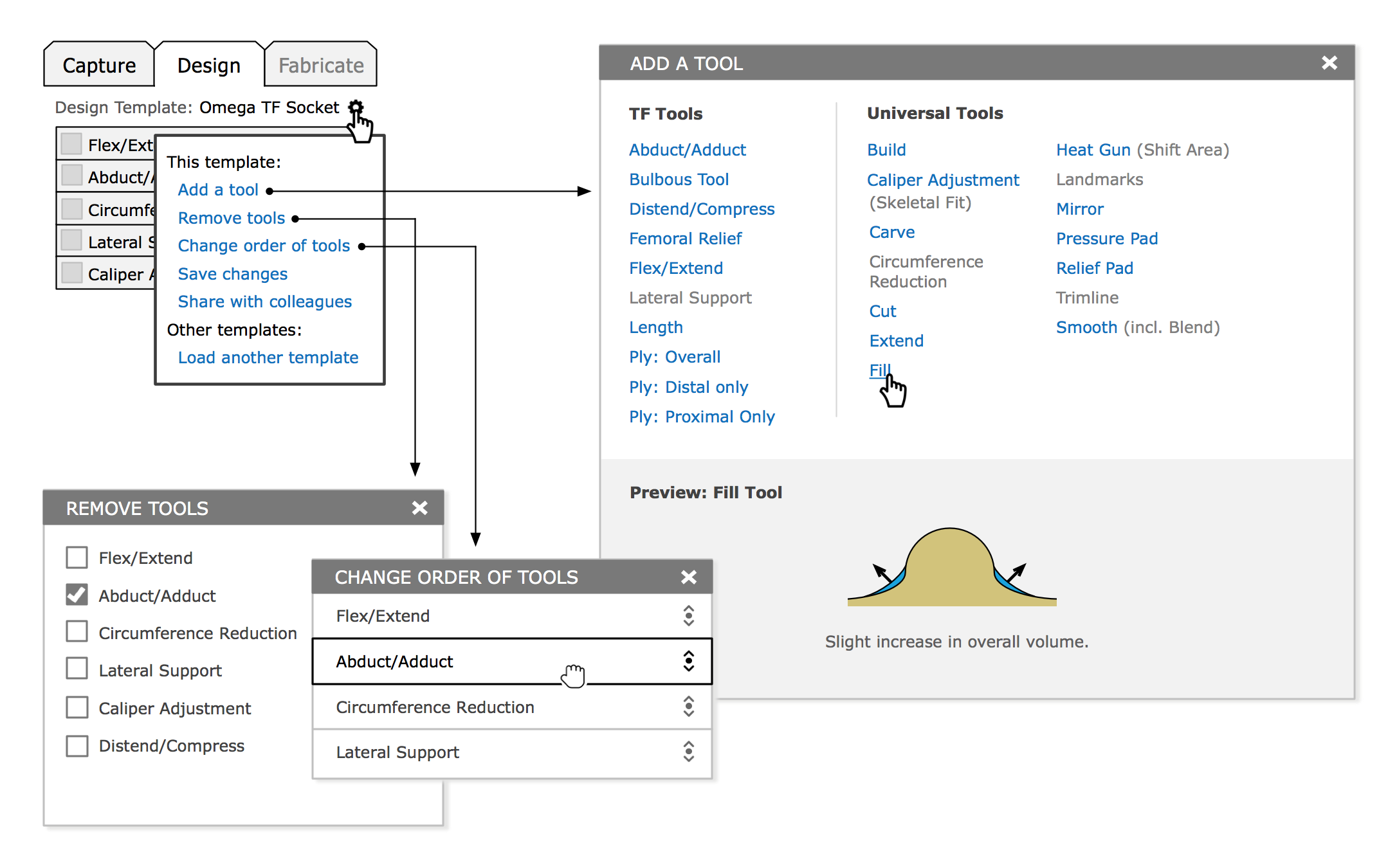
Solutions: Inline visual examples help clinicians choose the right tool or operation.
Results
The clinician-centered redesign has allowed WillowWood to greatly increase sales and reduce support costs.
"We've been selling the new Omega and have had such great interest that we have added web-based training. [...] I couldn’t have hoped for a better outcome."
- Jon Shell, PM at WillowWood